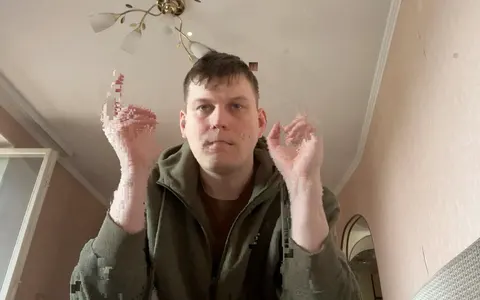
Your camera, fractured into hundreds of real windows.
Windows are born where you move, hold on your face and fade. Your desktop stays visible in between. Live, in one click — no TouchDesigner, no After Effects.
Apple Silicon · nothing leaves your Mac · free trial
move — the windows follow you
Every window is a real macOS window.
Someone under my first reel asked whether I was working on ransomware.
No. Every piece you see is a real macOS window the app opens and closes, hundreds of times a second, exactly where you move. The grey traffic lights are what macOS draws on an inactive window. The title gets cut with the system ellipsis. Nothing is drawn on a canvas.
Which is why it looks like your Mac has been taken over, and why no filter can fake it.
What for
Two reasons people open it.
Short video
A clip that stops the scroll, in a minute.
Pick a look, move, record. Vertical 9:16, your face held in the safe zone, nothing else on screen. The visual people spend a night building in TouchDesigner — live, from your camera, different every take.
ReelsTikTokShortstalking headintro
Music
Shoot a music video on your desktop.
Windows are born on the kick, the voice, the hi-hats, and gather on the beat. Record yourself to your track with a transparent background and drop the pieces into your clip — footage of you, cut by your own music.
snippetSpotify Canvasclip layerlive setstream
Looks
One frame, computed once. Any number of windows.
Looks run on the GPU for the whole frame, so the window count never slows them down. Mix them: each window with its own.
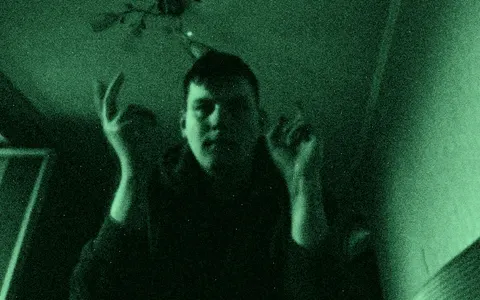
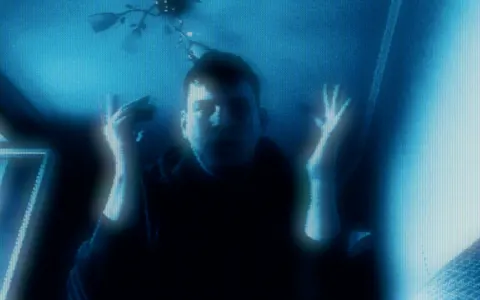
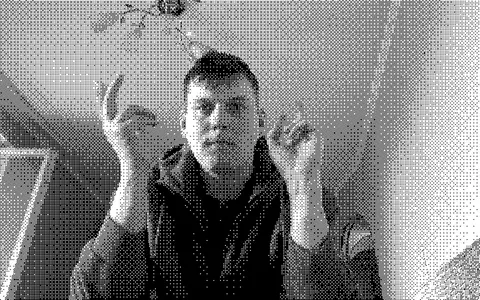
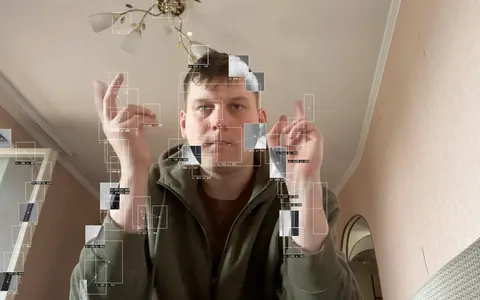
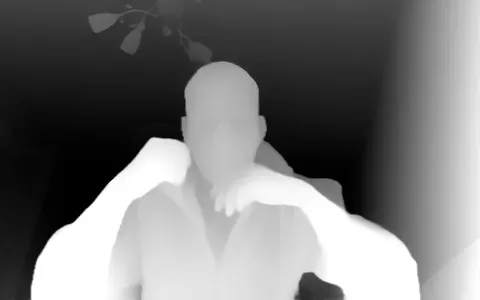
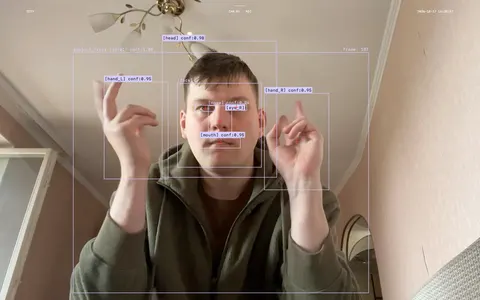
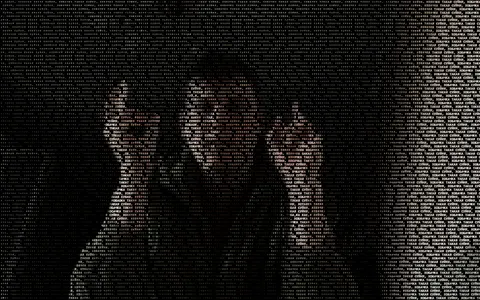
Night Visiongreen phosphor, grain, vignetteCRTscanlines, bloom, curvature1-bit Dithertwo colours, ordered dotsBlob Trackingboxes and labels on what movesDatamoshthe last frame flows after youDepth Mapa neural net sees depthCCTVpeople and objects, namedGlyphsthe picture as coloured characters
Windows that live with the music.
Born on the kick, the voice, the hi-hats. Gathered on the beat: tempo and downbeat are found by themselves. Source: the microphone, anything your Mac plays, or the video itself. Change the look with a clap.
Each instrument gets its own windows — you decide which.
Pick a look per role. Clap, talk, play something: the desktop answers with that role's windows in that look. With a folder of stems from your DAW each track knows exactly what it is. Coming in 1.0.
Collage Trail
Your pictures, following you.
A look that leaves a trail of pictures where you moved: your own folder, emoji, a Telegram sticker pack. Big ones near you, dust at the edges of the trail. Drop any picture on this page — it joins the trail on the desktop right now.
Record
Record right here. Keep only what you want.
One key. A countdown. The panel, the HUD and the cursor stay out of the file.
Hover a format — the desktop becomes that stage. The bar records a few seconds; the file lands by the Dock.Tap a format — the desktop above becomes that stage. The bar records a few seconds; the file lands in the Dock.
Coming in 1.0. Today: any screen recorder.
Export
Cut for where it goes.
One recording, framed for each place: the safe zones of Reels and TikTok, a Canvas loop, the whole desktop for YouTube. Pick one — the file from the Dock opens in that frame.
Coming in 1.0. Today: crop in CapCut or Final Cut.
What it would take otherwise.
Filters
TouchDesigner / AE
Fracam
Live
yes
TD yes · AE no
yes
Learning
none
days to weeks
none
Beyond the frame
no
no, one canvas
the whole desktop
Follows sound
no
build it yourself
kick, voice, beat
Looks like
everyone else
yours
yours, every take
Price
subscription
$600 · $22/mo + plugins
once
I saw this effect, could not find anything that makes it, and wrote it myself. One person, one Mac, a few months, 305 tests.
It is odd on purpose. If it is for you, you will know in the first ten seconds.
— Anton
13looks, one frame, any number of windows
0bytes of camera leave your Mac
6 mscamera to screen
Price
Free to play. Pay once to work.
The free version is the whole app, forever: every look, the sound mode, every preset. Recordings carry one small extra window named fracam#1 — a credit, not a stamp. Buying removes it and unlocks the transparent and green backgrounds, the vertical 9:16 stage, the projector and preset sharing. Updates in 1.x included.
Any Apple Silicon Mac. On small ones the app lowers the window count and camera resolution by itself; you can set both.
Does anything leave my Mac?
No. Camera and microphone are processed on the Mac. The app only downloads optional neural models and sticker packs you ask for, and checks for updates.
Can I use it in Zoom or OBS?
In OBS, yes: capture the screen. A virtual camera is planned later.
Windows?
Not now, and no date. The licence is per person, so a Windows version would be included if it is made. Leave your email on the download page if you want one.


 12°C
12°C


 Download